Homework Submission
This page covers the platform UI for submitting homework. For when homework is released, deadline policy, and what should be in your repository, see Homework.
Homework on the platform
Log in to your course platform and open the course page. All homework assignments for the cohort are listed there with their deadlines and your submission status.
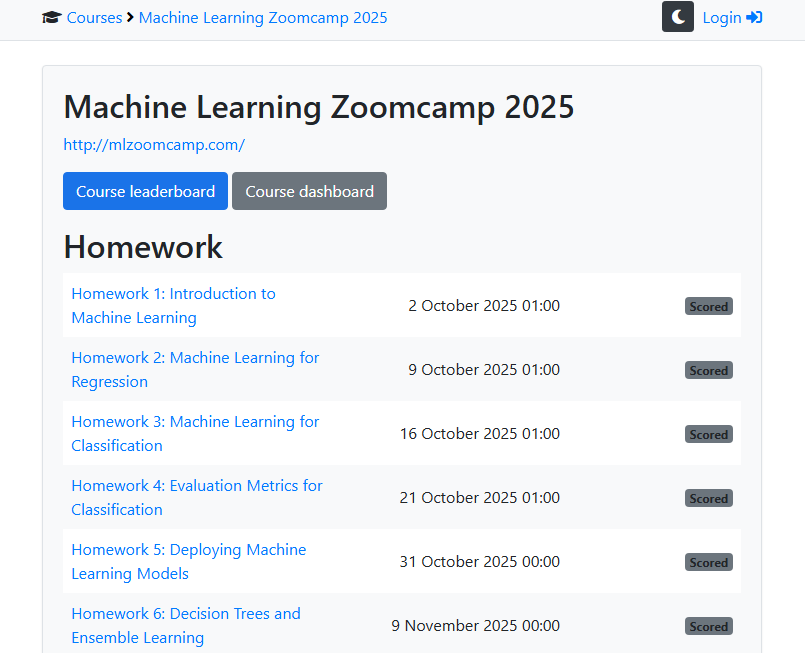
Direct links to the platform per cohort:
Submission form
Each homework has its own submission page.
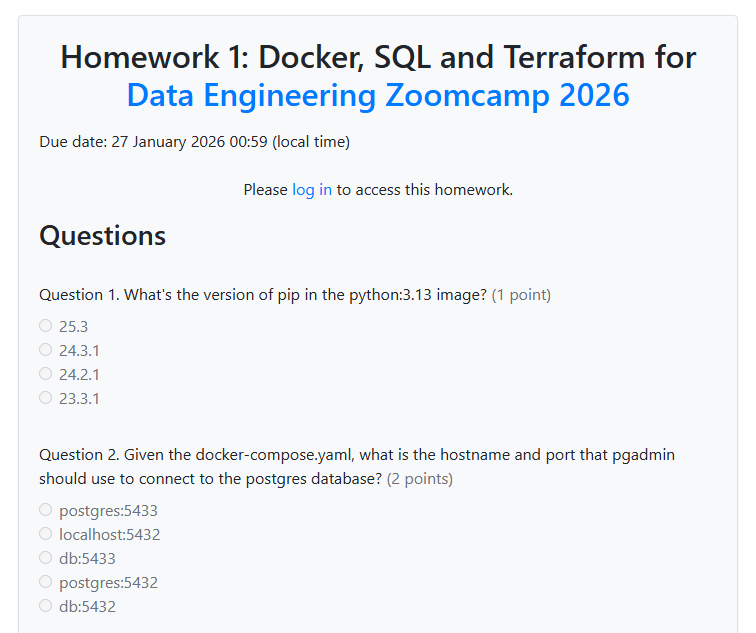
The form includes:
- Multiple-choice questions - select the correct answer for each question.
- Homework URL - link to your homework notebook or code.
- Time spent on lectures - number of hours spent watching videos.
- Time spent on homework - number of hours spent completing the assignment.
- Learning in public links - links to your social media posts (see Learning in Public).
- FAQ contribution - share insights for the Course FAQ.
After submitting
You receive immediate feedback and points after submitting. The platform shows which questions were correct and your running score.
You can resubmit before the deadline. Only your last submission counts.
See also
Related pages:
- Homework for general logistics (when released, deadlines, what to put in your repo).
- Leaderboard for how points are calculated.