YouTube Playlists
Subscribe to the DataTalks.Club YouTube channel to stay updated with new content.
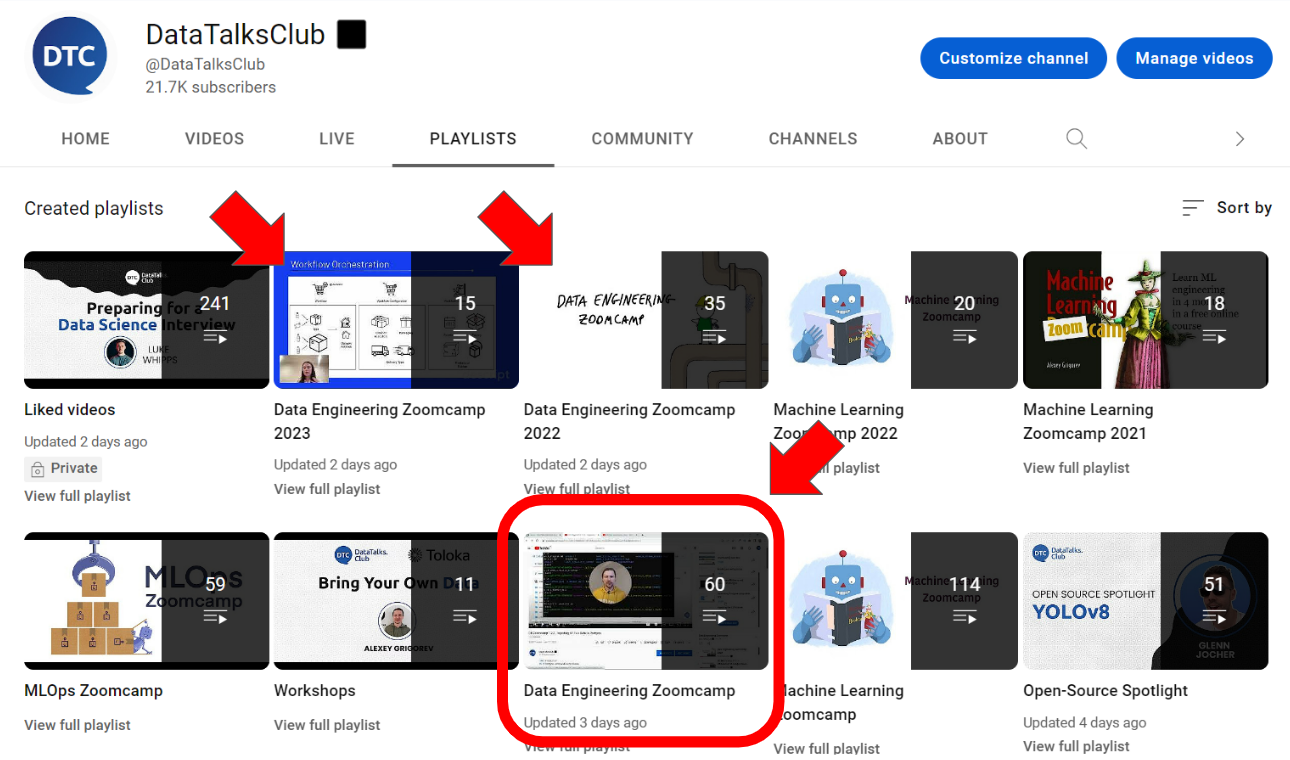
How to Find Playlists
To navigate to the course playlists:
- Go to the DataTalks.Club YouTube channel
- Look for the “Playlists” section
- Browse through the available playlists
You can also access playlists directly from the video you’re watching. Look for the playlist name in the video description or below the video title.
Main Playlist
The Main Playlist contains the core course content - pre-recorded lectures that cover the data engineering curriculum. This is your primary learning resource.
Use the GitHub repo to navigate. Each module links to the relevant video.
Cohort Playlists
Each cohort has its own playlist with edition-specific content:
Cohort Playlists are recorded during specific runs of the course and include:
- Live kick-off streams
- Office hours and Q&A sessions
- Homework review sessions
- Guest lectures and bonus content
- Videos that were part of that cohort but were later removed from the main playlist (outdated, replaced, or improved content)
Cohort playlists are supplementary. They provide additional context and answers to student questions, but they are not required for completing the course. Focus on the main playlist first, then explore your cohort playlist for extra insights.