Homework Submission
Submit your homework through the course management platform to track your progress on the leaderboard.
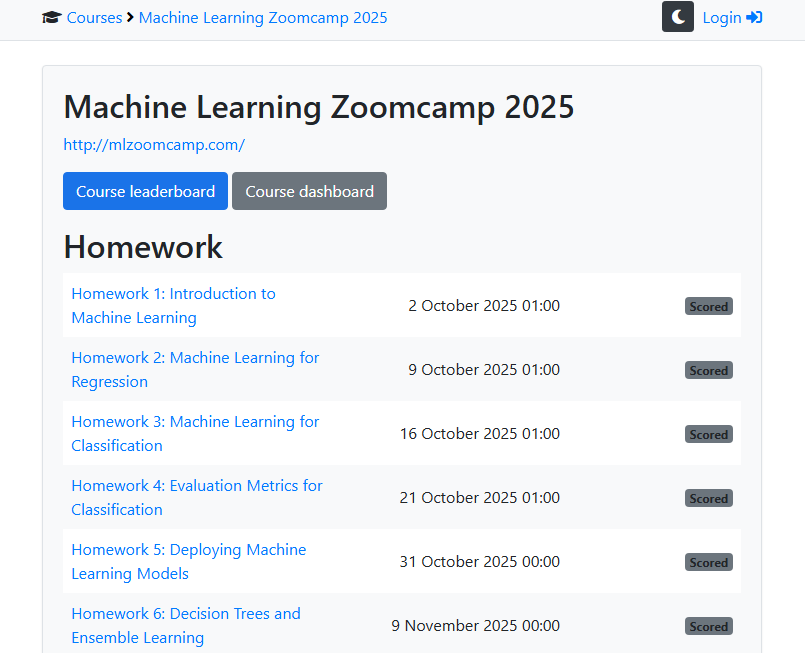
The course page displays all homework assignments with their deadlines and your submission status.
Homework Submission Page
Each homework has its own submission page with multiple-choice questions and additional fields.
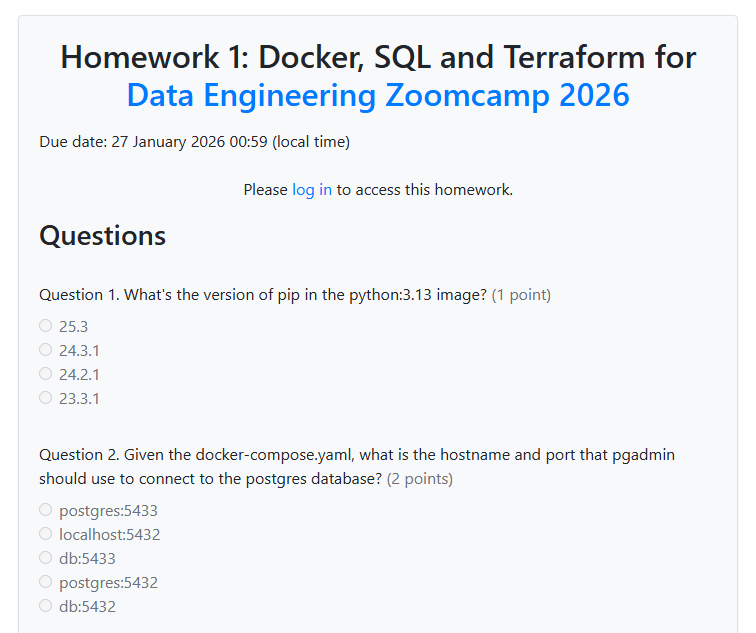
Submission Fields
The homework submission form includes:
- Multiple-choice questions - Select the correct answer for each question
- Homework URL - Link to your homework notebook or code (optional)
- Time spent on lectures - Number of hours spent watching videos
- Time spent on homework - Number of hours spent completing the assignment
- FAQ contribution - Share insights for the course FAQ (earns extra points)
Earning Extra Points
You can earn additional leaderboard points beyond homework answers:
- FAQ contributions - Share valuable insights from your learning journey. Accepted entries are added to the Course FAQ and earn points.
- Learning in public - Share your progress on social media and submit the link.
How It Works
Each module has a homework assignment with multiple-choice questions. Select your answers and submit before the deadline.
Accessing Homework
Homework links are available on your course platform:
Deadlines are also announced in Slack and shown on the course schedule.
Submission Process
- Click on the homework link for your module
- Answer the multiple-choice questions
- Optionally provide your homework URL
- Report time spent on lectures and homework
- Optionally contribute an FAQ entry for extra points
- Submit before the deadline
- Receive immediate feedback and points
Tips
- Submit before the deadline even if you’re not 100% confident
- Use homework as a learning tool, not just for points
- Review incorrect answers to understand gaps in your knowledge
- Share your learning publicly to earn extra points and build your portfolio
Remember: Homework is for learning. Scores don’t affect graduation or certification.