AI development tools have moved into everyday engineering work. We write code now with chat assistants, coding agents like Claude Code and Codex, agentic IDEs like Cursor and GitHub Copilot, and project bootstrappers like Lovable. The hard part is no longer generating code. It’s staying in control of what the tools produce, so you still give them the right context, review the result, test it, and ship it with guardrails.
AI Dev Tools Zoomcamp is a free, hands-on course on AI-native software engineering. Over four modules, you turn a vague idea into a specification and a groomed backlog, then build and deploy a full-stack application with AI assistance. After that you extend coding agents with MCP and reusable capabilities, and add safeguards to your project with open-source AI tools for security, audit, and DevOps.
One workflow runs through the whole course. Give AI tools the right context, use them for the right job, review what they produce, test the result, and ship software with guardrails.
By the end, you’ll have a deployed application, an agent extension pack around it, a security and DevOps package, and a certificate that shows how you work with modern AI dev tools.
Table of Contents
Here’s what this article covers:
- Who the Course Is For
- Prerequisites
- Course Curriculum
- Course Articles on Substack
- Pre-Course Live Events
- How AI Dev Tools Zoomcamp Works
- Instructors
- What Learners Say
- What is the DataTalks.Club Community?
- How to Join AI Dev Tools Zoomcamp
- Frequently Asked Questions
Who the Course Is For
AI Dev Tools Zoomcamp is for developers and technical data professionals who want a repeatable, disciplined way of working with AI coding tools.
Join if you:
- Already write basic code in Python, JavaScript, TypeScript, or a similar language.
- Want to use AI coding tools professionally, not only for isolated snippets.
- Want a repeatable workflow for planning, prompting, reviewing, testing, debugging, and shipping code.
- Care about maintainability, tests, deployment, documentation, and code review.
- Want to build a project that demonstrates practical AI-assisted development skills.
- Benefit from cohort deadlines, community support, peer review, and certificate eligibility.
Software engineers, ML engineers, MLOps engineers, AI engineers, data scientists, data engineers, analysts who write code, and technical students all get practical project experience out of it.
Look elsewhere if you have never programmed before, want a non-technical AI introduction, or mainly want model training, fine-tuning, LangChain, vector databases, or RAG. We teach day-to-day software development with AI tools, not how to build AI models.
Prerequisites
You don’t need any prior experience with AI tools.
You should have:
- Basic programming ability in Python, JavaScript, TypeScript, or a similar language.
- Comfort using the command line.
- Git and GitHub basics.
- Willingness to read, review, debug, and maintain AI-generated code.
Experience with a code editor such as VS Code or Cursor helps, and so does basic familiarity with web development and Docker.
You don’t need prior coding assistant or coding agent experience, Django experience, or a powerful machine or GPU.
Course Curriculum
What We’ll Cover
| Module | Topic | Focus | Tools You'll Use |
|---|---|---|---|
| 1 | AI-Native Developer Workflow | Spec-driven development, context engineering, the product manager / software engineer / QA roles, loop and graph engineering | Chat assistants, coding agents, agentic IDEs, cloud agents, project bootstrappers, AGENTS.md |
| 2 | Build and Ship an AI-Assisted Full-Stack App | Product spec, frontend prototype, OpenAPI contract, backend, database, tests, Docker, deployment, and CI/CD | React/TypeScript, Lovable, FastAPI or Django, OpenAPI, Docker, GitHub Actions |
| 3 | Coding Agent Capabilities: MCP, Skills, Plugins, and Custom Agents | How agent loops work, and how agents are extended with tools, reusable workflows, permissions, and specialized subagents | MCP servers and clients, skills and commands, hooks, subagents, plugins, Claude Code, Codex, Cursor, GitHub Copilot |
| 4 | Open-Source AI Tools for Security, Audit, and DevOps | AI-assisted PR review and audit, security scanning, agent and MCP supply-chain risk, infrastructure diagnostics, AI tool governance | PR-Agent, Semgrep MCP, Snyk Agent Scan, K8sGPT, LiteLLM, Ollama |
The 2026 materials are still being finalized. The repository shows the direction for the next cohort, but some videos, homework, deadlines, and module details may change before the course starts.
Module 1: AI-Native Developer Workflow
Tools change every month, but the way we work changes much more slowly. In this module, you take a vague product idea through specification and context, implement it, and then run independent QA on the result. You can read this module as an article: AI-Native Development: Specifications, Loop Engineering, and Graph Engineering.
In this module you:
- Compare chat assistants, coding agents, agentic IDEs, cloud agents, and project bootstrappers, then pick a tool for the course.
- Turn an idea into a specification and a backlog of small tasks with goals, acceptance criteria, and clear boundaries.
- Give coding agents durable context with
AGENTS.mdand project documents. - Separate grooming, implementation, and verification across focused sessions.
- Use agent loops and multi-agent orchestration while keeping responsibility for the review.
Module 2: Build and Ship an AI-Assisted Full-Stack App
You build an end-to-end application with AI assistance while keeping every engineering step explicit:
- A product spec with acceptance criteria
- A frontend prototype
- An OpenAPI contract between frontend and backend
- A backend and a database
- Unit and integration tests
- A Docker setup and a deployment, with CI/CD where possible
We don’t let an AI tool build everything unchecked. You keep a controlled workflow where AI helps you move faster and you verify each step. You finish the module with a deployed full-stack application that has tests, a Docker setup, an OpenAPI contract, and reproducible development instructions.
Module 3: Coding Agent Capabilities: MCP, Skills, Plugins, and Custom Agents
In this module you learn how modern coding agents are extended, customized, constrained, shared, and audited. We don’t teach one specific product, so the concepts transfer across Claude Code, Codex, Cursor, GitHub Copilot, and the tools that come next.
In this module you:
- Learn how MCP clients, servers, tools, resources, and prompts work, and configure MCP-enabled workflows.
- Use reusable instructions, commands, skills, hooks, and specialized subagents.
- Explore plugin and extension patterns.
- Build a small agent extension pack around your app.
- Weigh local vs. remote tools, permissions, and security risks.
Module 4: Open-Source AI Tools for Security, Audit, and DevOps
The last module uses open-source AI tools around the production workflow, not only during coding:
- AI-assisted pull request review and audit
- Security scanning and policy checks
- Agent and MCP supply-chain scanning
- AI-assisted diagnostics for infrastructure and incidents
- Governance questions about secrets, data exposure, and auditability
You finish with a security, audit, and DevOps package that makes your final project safer to run.
Final Project
The final project applies the course workflow to an end-to-end application of your own. You choose a problem and describe how the system should behave. Then you build a frontend and a backend, define their communication with an OpenAPI contract, add persistent storage, test the application, containerize it, and deploy it so others can try it.
You also document how you used AI tools, prompts, workflows, agent instructions, MCP servers, and automation along the way. Other learners then review your project.
Course Articles on Substack
This year we’re running an experiment. Alexey publishes one standalone article per module on his Substack, next to the videos and the repository. You can read the course notes as an article series and follow along even before the cohort starts.
The first one is already out: AI-Native Development: Specifications, Loop Engineering, and Graph Engineering. It covers the Module 1 workflow end to end, from a vague idea to a specification, a groomed backlog, and code you can verify.
Subscribe to get the rest of the articles as they’re published, one per module:
Pre-Course Live Events
Before the cohort starts, we run a free live event series where we walk through the course workflows and help you prepare for the first week. The sessions are optional.
| Event | Date | What it covers | Link |
|---|---|---|---|
| Workshop 1: AI-Native Developer Workflow | July 22, 2026 | Using AI coding tools for planning, implementation, review, testing, and debugging without losing control of the code | Recording · Article · Event |
| Workshop 2: Build and Ship an AI-Assisted Full-Stack App | August 3, 2026, 15:00 CEST | Moving from product spec to frontend, backend, OpenAPI contract, tests, Docker, deployment, and CI/CD | RSVP |
| Workshop 3: Coding Agent Capabilities | August 17, 2026, 14:00 CEST | How MCP, skills, plugins, hooks, subagents, and custom agents fit into practical coding-agent workflows | RSVP |
| Workshop 4: Open-Source AI Tools for Security, Audit, and DevOps | August 18, 2026, 14:00 CEST | AI-assisted review, security scanning, audit, diagnostics, and DevOps tools around a project | RSVP |
| Pre-Course Live Q&A | August 24, 2026, 17:00 CEST | Questions about prerequisites, tools, homework, deadlines, projects, peer review, and certificates | RSVP |
| Course Launch | August 31, 2026, 17:00 CEST | Course overview, first-week workflow, community links, and live questions | RSVP |
How AI Dev Tools Zoomcamp Works
GitHub Repository
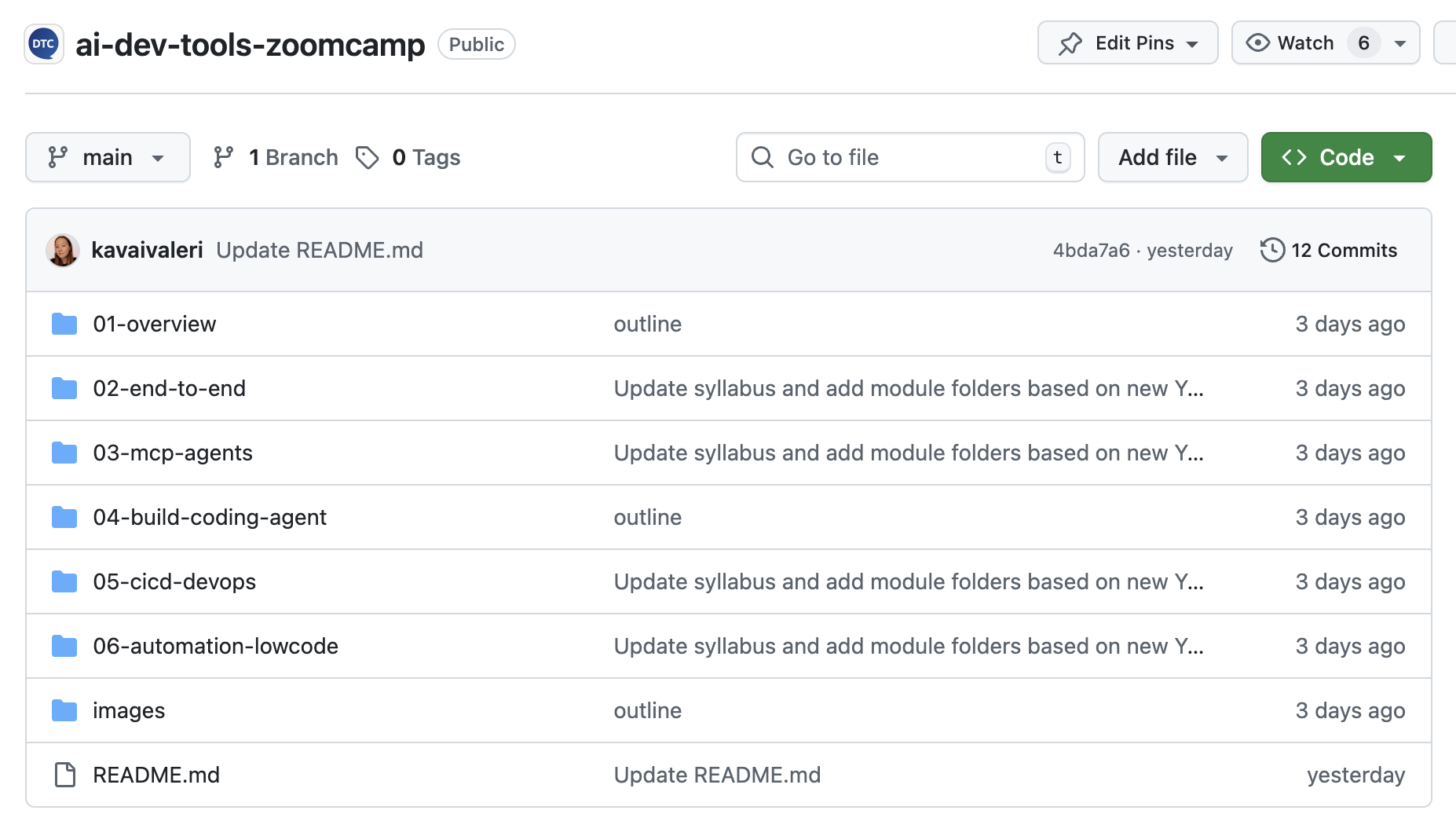
All lessons, homework, and cohort updates live in the AI Dev Tools Zoomcamp GitHub repository. The structure mirrors our other Zoomcamps, so you can quickly find module folders, homework forms, and project guidelines.
Star the repository to keep it handy and watch it to get notified when we publish new module materials and cohort updates:
Homework Assignments
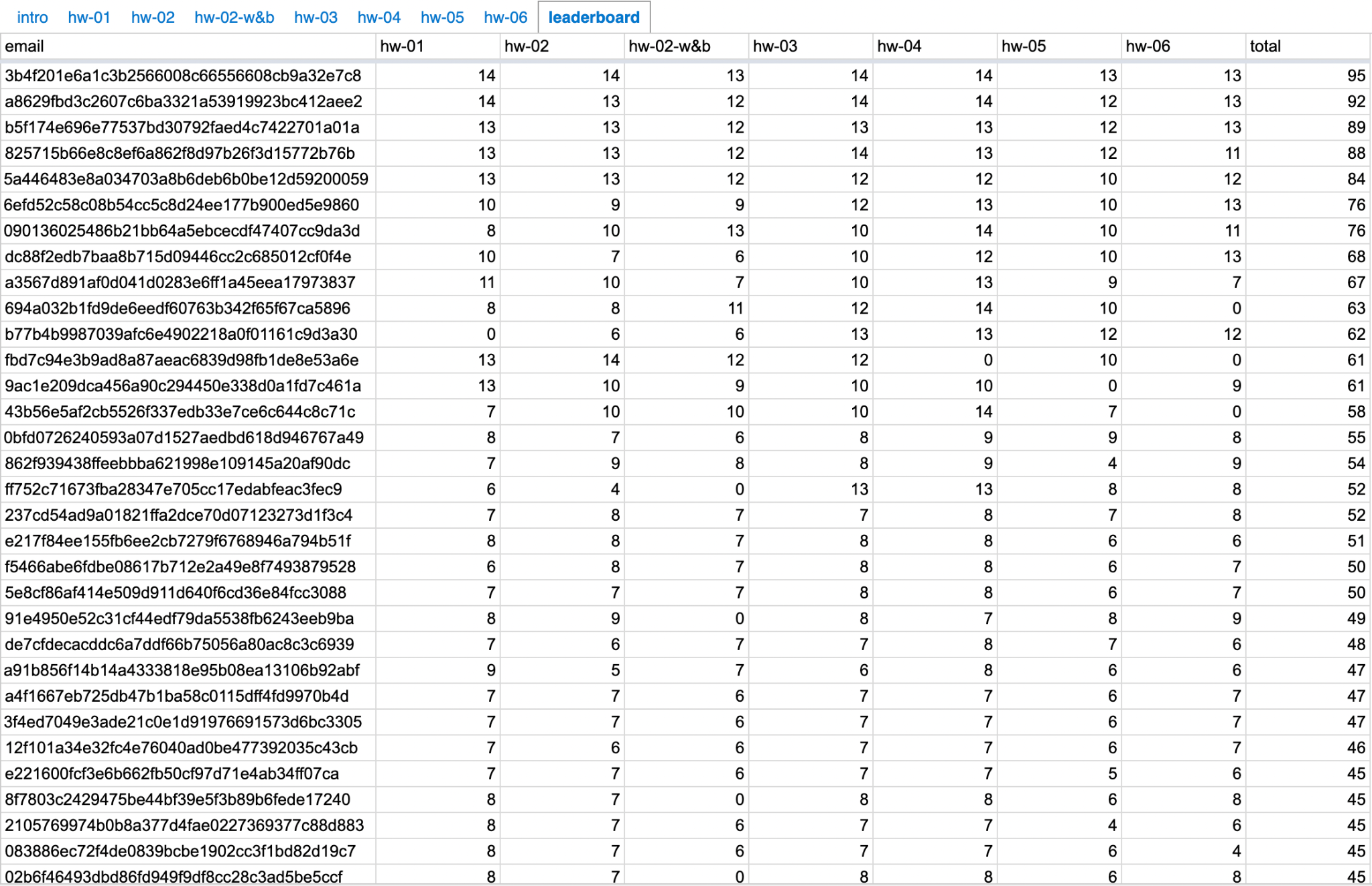
Each module includes homework to practice what you’ve learned and track your progress. You can also compete on the course leaderboard, which adds a fun, competitive element.
Learning in Public
A unique feature of our Zoomcamps is our “learning in public” approach, inspired by Shawn Wang’s (@swyx) article on the topic. Instead of keeping your progress private, you’re encouraged to share assignments, reflections, and projects online with the hashtag #aidevtools.
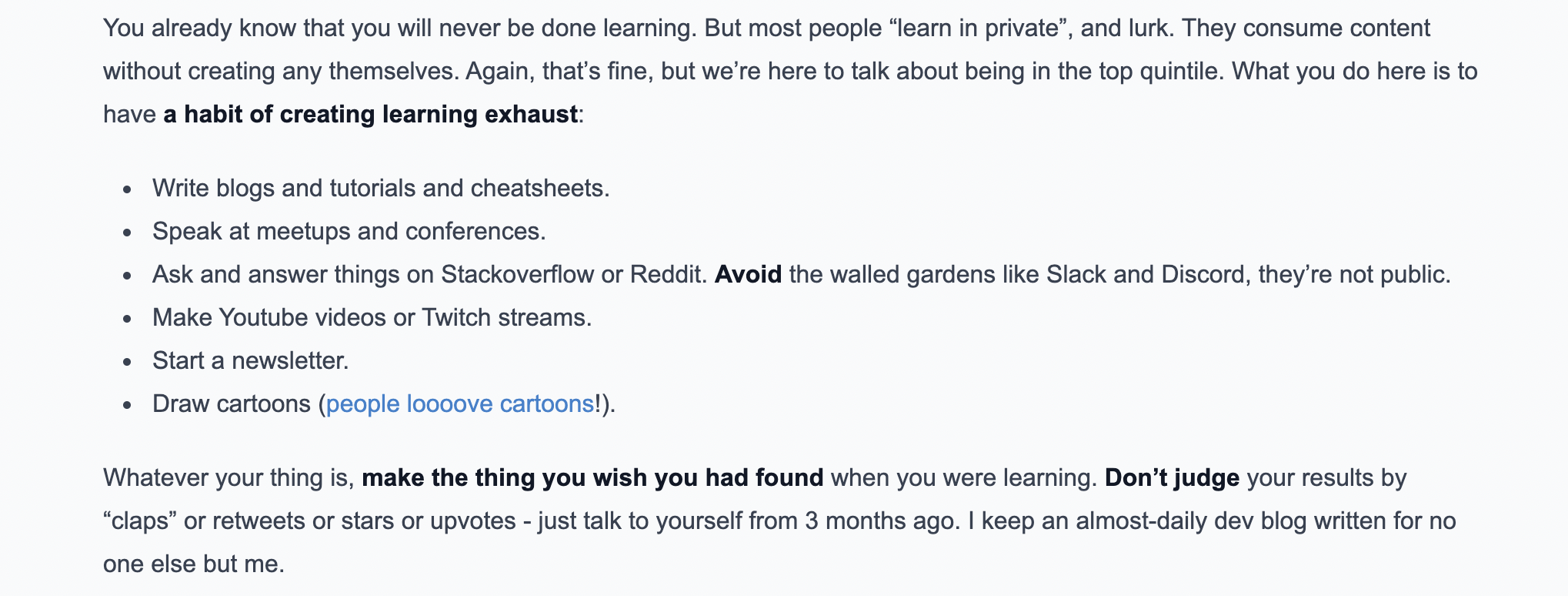
Explaining what you’ve learned helps you understand it better, builds confidence, and creates visible proof of your skills. To encourage this, we award bonus points on the leaderboard for public posts about your work.

This practice has led to real opportunities for learners. For example, Pastor Soto, who joined ML Zoomcamp without a LinkedIn account, began posting his projects publicly. These posts not only accelerated his learning but also attracted attention from recruiters at Meta and DeepLearning.AI. Similarly, Daniel Egbo shared his progress on LinkedIn, which opened the door to collaborations on projects such as deploying models with Intel’s OpenVINO toolkit.
Certificate
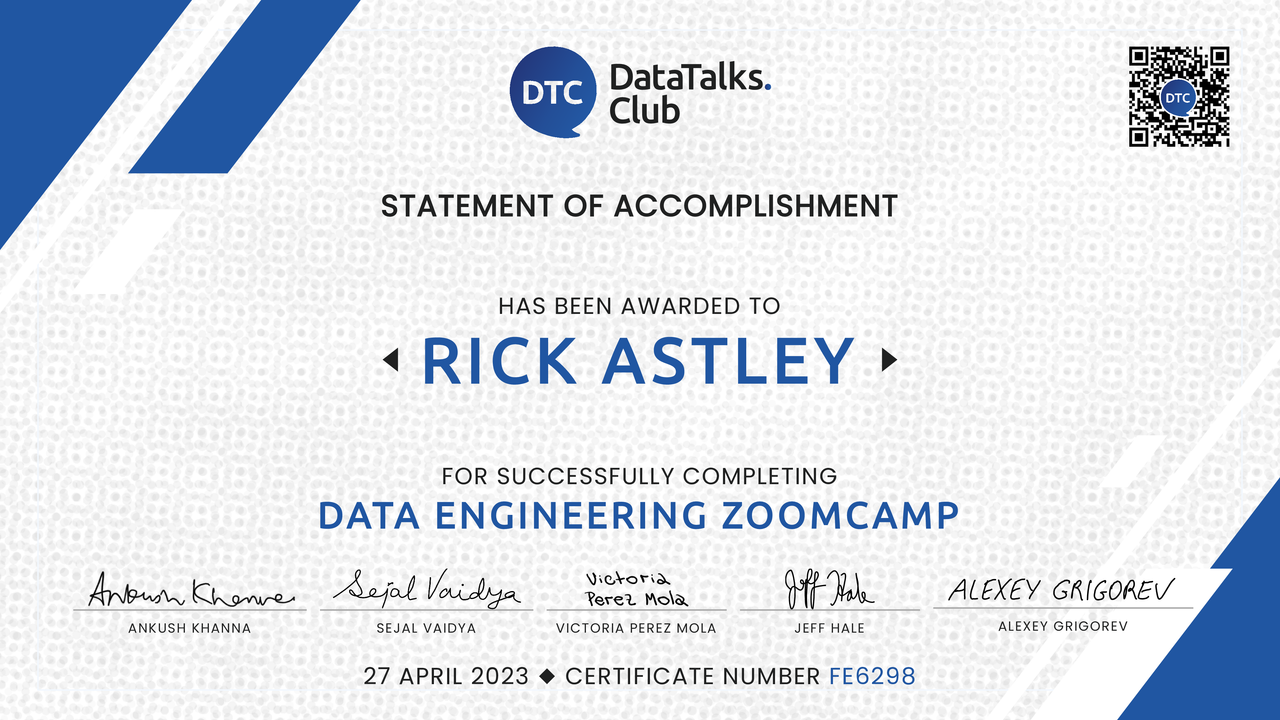
To earn your free certificate, you need to pass the final project and review other students’ projects. Homework helps you stay on track, but the certificate is based on the final project and the peer review requirements.
Instructors
What Learners Say
This course fundamentally changed how I approach AI development. I moved from “building models” to designing AI-assisted systems that are faster to ship and easier to iterate on.
During the course, I built a portfolio optimization tool, a full-stack application using ChatGPT, Lovable, and Antigravity, and a structured GitHub project with reproducible documentation.
— Yann Pham-Van, Freelance Data Scientist
The course taught me how to use coding agents effectively, debug issues, and gave me exposure to MCPs, tools, and prompts. It helped me conceptualize any idea into a working prototype.
— Revathy Ramalingam, Senior Software Engineer at Yalabs Solutions
During the course I built a Finnish learning website which helps English users practice reading, writing, listening, and speaking skills for the Finnish language. I used Antigravity with Gemini and Claude, a Context7 documentation MCP server, TypeScript, Python, Next.js, FastAPI, SQLite, and CI/CD with GitHub Actions.
— Kaiquan Mah, Data Scientist at Total eBiz Solutions
What is the DataTalks.Club Community?
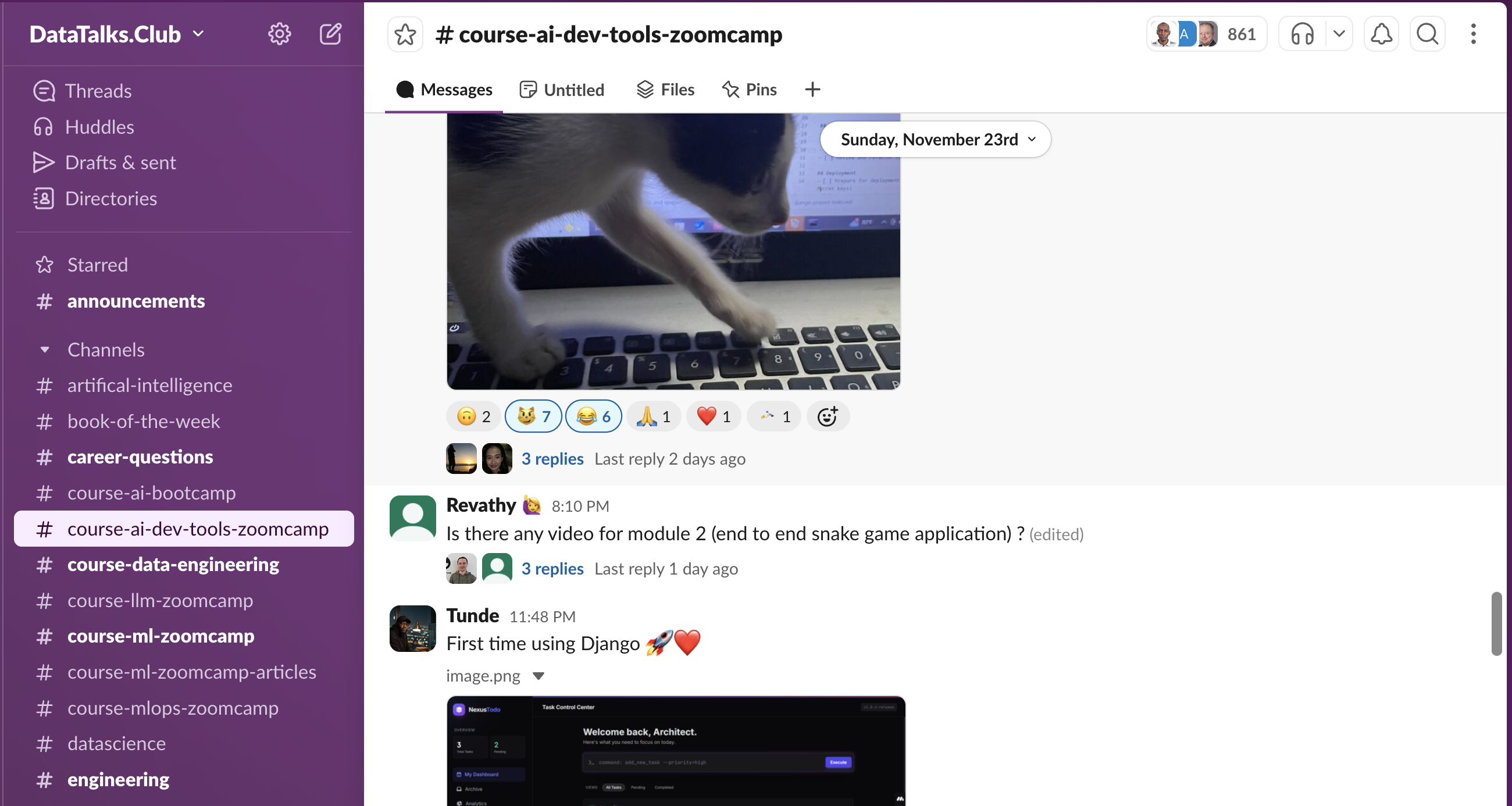
DataTalks.Club has a supportive community of like-minded individuals in our Slack. Course questions and troubleshooting happen in the #course-ai-dev-tools-zoomcamp channel, where you’re supported by thousands of learners who exchange ideas, ask questions, and provide feedback. Many learners have turned these connections into collaborations and long-term professional relationships.
Course announcements are posted in the Telegram channel and reposted to the course Slack channel.
How to Join AI Dev Tools Zoomcamp
You can join AI Dev Tools Zoomcamp either by following a live cohort or learning at your own pace.
All materials are freely available in the AI Dev Tools Zoomcamp GitHub repository. Each module has its own folder, and cohort-specific homework and deadlines are in the cohorts directory. Lectures are pre-recorded and available in this YouTube playlist, so you can follow the live cadence or watch at your own pace.
| Live Cohort | Self-Paced | |
|---|---|---|
| Start | August 31, 2026 | Anytime |
| Cost | Free | Free |
| Lectures | Pre-recorded | Pre-recorded |
| Homework | Graded | Available, but not scored |
| Leaderboard | Yes | No |
| Peer review | Yes | No |
| Certificate eligibility | Yes | No |
| Registration | Sign up here | Start from the repository |
“Live cohort” doesn’t mean mandatory live classes. Lectures are pre-recorded. A live cohort means shared deadlines, scored homework, leaderboard participation, peer review, community momentum, and certificate eligibility.
Even if you join after the official start date, you can still follow along. Note that some homework forms may already be closed. All active deadlines are listed on the course platform.
Frequently Asked Questions
For more details about how our courses work, check the Zoomcamp logistics guide and the AI Dev Tools Zoomcamp docs.
The AI Dev Tools Zoomcamp is a free, community-driven program by DataTalks.Club that teaches AI-native software engineering: how to build, test, deploy, extend, and audit software with AI developer tools without losing engineering discipline.
This 4-module course covers a hands-on curriculum with all materials open and available anytime on GitHub. You’ll work with coding agents and agentic IDEs such as Claude Code, Codex, Cursor, and GitHub Copilot, the Model Context Protocol (MCP), and open-source AI tools for security, audit, and DevOps, and earn a certificate.
“Zoomcamp” is a term that originated from Alexey Grigorev, the founder of DataTalks.Club. It started with his book “ML Bookcamp.” When Alexey decided to create a video course based on the book, he called it “Machine Learning Zoomcamp” - a free, cohort-based course in video format. The name “zoomcamp” is a play on “bookcamp,” referring to the video format of the course. The Zoomcamp series has since expanded to include other free courses like the Data Engineering Zoomcamp, MLOps Zoomcamp, LLM Zoomcamp, and AI Dev Tools Zoomcamp, all following the same community-driven, open-source philosophy.
Yes! The AI Dev Tools Zoomcamp is completely free. There are no hidden costs, no tuition fees, and no paid tiers. All course materials, videos, homework assignments, and access to the Slack community are provided at no cost. Unlike traditional bootcamps that charge $10,000-$20,000+, this course is entirely community-driven and open source.
Basic programming ability in Python, JavaScript, TypeScript, or a similar language is enough. You should also be comfortable with the command line and know Git and GitHub basics. No prior experience with AI coding tools is required. You do need to be willing to read, review, debug, and maintain AI-generated code - that’s a large part of what the course teaches.
No. The course is also relevant for data scientists, ML engineers, MLOps engineers, AI engineers, data engineers, analysts who write code, and technical students. You do need basic programming ability.
Each module includes hands-on work, so the time commitment depends on your background and how much time you can dedicate. Expect roughly 5-15 hours per week across the four modules, including watching videos, completing homework, and working on the final project. More time may be needed during the final project weeks.
You’ll pick a coding tool in Module 1 and use it throughout the course. The materials work with modern agentic coding tools such as Claude Code, Codex, Cursor, GitHub Copilot, and similar products. Later modules use MCP servers and open-source tools such as PR-Agent, Semgrep MCP, Snyk Agent Scan, K8sGPT, LiteLLM, and Ollama. Some commercial tools require a subscription, but we focus on free or low-cost options where possible.
No. The course is about using AI developer tools, not training models, so a powerful machine or GPU is not required.
Lectures are pre-recorded, so you can watch them whenever it suits you. The live cohort adds shared deadlines, scored homework, a leaderboard, peer review, community support, and certificate eligibility. We also run live events before the cohort starts and Q&A sessions during it.
No. The course focuses on AI-assisted software development workflows: coding assistants, coding agents, MCP, testing, CI/CD, deployment, documentation, review, security, audit, and DevOps. If you want to build LLM applications with RAG and agents, look at the LLM Zoomcamp instead.
To earn a certificate, you need to pass the final project and complete the required peer reviews. The project is an end-to-end application of your own, built and documented with the workflow taught in the course. Homework helps you stay on track, but the certificate is based on the final project and peer review. Learn more about the final project and certificate requirements.
Absolutely! The course is supported by the DataTalks.Club community on Slack, where thousands of learners exchange ideas, ask questions, and provide feedback. Course-specific questions go to the #course-ai-dev-tools-zoomcamp channel. We also have an FAQ repository with answers to common questions and a @ZoomcampQABot in Slack for quick help.
Most AI courses teach you how to prompt a tool. This one teaches a repeatable engineering workflow around the tools: give them the right context, use them for the right job, review what they produce, test the result, and ship with guardrails. You write specifications, groom a backlog, build and deploy a real full-stack application, extend your agent with MCP and reusable capabilities, and audit the result with open-source security and DevOps tooling. By the end you have a deployed project, not just a set of prompts.
The next cohort of the AI Dev Tools Zoomcamp starts on August 31, 2026. Register here: https://courses.datatalks.club/register/ai-dev-tools/ before the course starts.
The AI Dev Tools Zoomcamp is run by DataTalks.Club, a global online community of data professionals and learners. The instructors are Alexey Grigorev, Bhavani Ravi, and Moein Foroughi, and members of the DataTalks.Club community contribute as maintainers.
DataTalks.Club is often referred to as “the DataTalks Club”, “data talks club”, or “datatalks club”.
Yes! All course materials, videos, and recordings remain available after the cohort ends, and you can learn at your own pace. You’ll have access to the Slack community for support. However, self-paced learning does not include scored homework, project evaluations, or the ability to earn a certificate. To receive a certificate, you need to join an active cohort.
No, certificates are only available when completing the course with a live cohort. This is because the certification process requires peer review, and peer reviews only happen during the active course period. Additionally, the submission form closes after the peer-review list is compiled. Self-paced learners can access all course materials and the Slack community, but must join a live cohort to earn a certificate.
The GitHub repository is https://github.com/DataTalksClub/ai-dev-tools-zoomcamp.
In 2026 each module also comes out as a standalone article on Alexey Grigorev’s Substack. The first one, AI-Native Development: Specifications, Loop Engineering, and Graph Engineering, covers the Module 1 workflow. Subscribe there to get the rest as they’re published, and star the GitHub repository for the full materials and homework.
Course videos are available on the DataTalks.Club playlist. For easier navigation, refer to the GitHub repository for course materials and links to video content. We also maintain year-specific playlists for updates.
You’ll work with coding agents and agentic IDEs (Claude Code, Codex, Cursor, GitHub Copilot), project bootstrappers such as Lovable, durable agent context with AGENTS.md, full-stack tooling (React/TypeScript, FastAPI or Django, OpenAPI, Docker, GitHub Actions), the Model Context Protocol along with skills, hooks, subagents, and plugins, and open-source AI tools for security, audit, and DevOps: PR-Agent, Semgrep MCP, Snyk Agent Scan, K8sGPT, LiteLLM, and Ollama.
The DataTalks.Club AI Dev Tools community is a supportive network of 80,000+ data professionals and learners. As part of the AI Dev Tools Zoomcamp, you’ll have access to a dedicated course channel in Slack where you can ask questions, get help from instructors and peers, share your progress, and connect with like-minded individuals. Course announcements are also posted in the Telegram channel. The community provides technical support, peer learning opportunities, and networking that can lead to collaborations and career opportunities.
Yes! This is a completely free AI Dev Tools course, with a certificate available when you complete the course with a live cohort. There are no hidden costs or tuition fees. To earn your certificate, you need to build a final project that demonstrates practical AI-assisted development and complete the required peer reviews. This free course provides the same quality training as paid bootcamps but at no cost. Certificates, scored homework, and project evaluations are only available when participating in a live cohort, not in self-paced mode.
Yes, certificates are available when completing the course with a live cohort. Requirements include building one final project that demonstrates practical AI-assisted software development and reviewing other students’ projects during the peer review period. Certificates, scored homework, and project evaluations are not available in self-paced mode.